XYZ軟體急先鋒
VTC Com WordPress Blogging 英文正式版(WordPress博客視頻教學)
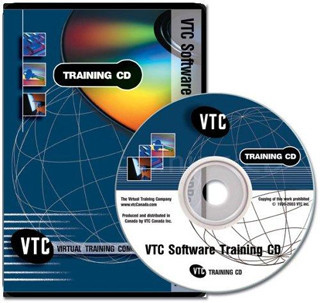 -=-=-=-=-=-=-=-=-=-=-=-=-=-=-=-=-=-=-=-=-=-=-=-=-=-=-=-=-=-=-=-=-=-=-=-=
軟體名稱:VTC Com WordPress Blogging 英文正式版(WordPress博客視頻教學)
語系版本:英文版
光碟片數:單片裝
破解說明:
系統支援:WIN 9x/WIN ME/WIN NT/WIN 2000/WIN XP/WIN 2003
軟體類型:WordPress博客視頻教學
硬體需求:PC
更新日期:2010/6/21
官方網站:http://www.vtc.com/products/WordPress-Blogging-Tutorials.htm
中文網站:http://www.vtc.com/products/WordPress-Blogging-Tutorials.htm
軟體簡介:
銷售價格:80
-=-=-=-=-=-=-=-=-=-=-=-=-=-=-=-=-=-=-=-=-=-=-=-=-=-=-=-=-=-=-=-=-=-=-=-=
軟體簡介:
VTC Com WordPress Blogging 英文正式版(WordPress博客視頻教學)
官方網址:http://www.vtc.com/products/WordPress-Blogging-Tutorials.htm
WordPress是一種使用PHP語言開發的博客平臺,用戶可以在支援PHP和MySQL 資料庫的伺
服器上架設自己的網志。也可以把 WordPress 當作一個內容管理系統(CMS)來使用。
WordPress 是一個免費的開源項目,在GNU通用公共許可證下授權發佈。
WordPress 是一個功能非常強大的博客系統,插件眾多,易於擴充功能。安裝和使用都非
常方便。目前 WordPress 已經成為主流的 Blog 搭建平臺。
WordPress 擁有世界上最強大的插件和範本。個人可以根據它的核心程式提供的規則自己
開發範本和插件。他可以在瞬間把你的博客改變成 cms、forums、門戶等各種類型的站點
。它強大的功能令你刮目相看。WordPress Theme 風格範本是世界上的程式裏最多的。類
型複雜,品質可嘉,樣式繁多,你只需要把不同的範本檔放到空間的 Theme 目錄下就可
以自由的在後臺變幻,方便使用,而且不管你安裝的的什麼語言包,都可以自由的使用這
些風格。根本沒有限制。
WordPress Plugin 擴展插件太多,導致我都無法選擇幾種來為你詳細的解釋。但是我要告
訴你的是,只要你掌握了 plugin 目錄下插件檔的使用方法,什麼程式在你的眼裏都將會
是小兒科。只需要把插件檔上傳到你 FTP 的 plugin 目錄下,就可以直接在後臺起用管理
。甚至功能強大點的插件會有一個自己的管理目錄在後臺出現,就象程式自帶似的方便,
它強大的插件囊括的所有互聯網上可以實現的功能。擁有這些插件,笑傲江湖不在是神話。
用戶可以非常方便地在WordPress博客裏插入html、php、javascript等代碼,並能對樣式
表進行修改。 WordPress的另一特色是用戶可以輕鬆對側邊欄上的內容進行自定義並能通
過拖放來調整側邊欄元素的位置和順序。
此外,標籤、標籤雲、pingback、blogroll、(任意層次的)分類、導航欄等功能也是
WordPress的典型特點。
基於WordPress平臺的博客,是指由使用WordPress平臺的博客供應商提供的博客,典型的基
於WordPress平臺的博客有yo2、72pines、donews、 wordpress.com.cn等,這些博客服務
商提供的博客享有WordPress的全部(或部分)功能。
Introduction
Course Overview
Understanding WordPress
What is a Blog?
What is WordPress?
How a Blog Functions
Setting Up a Free Blog on WordPress.com
Activating Your Wordpress.com Blog
Setting Up a Self-Hosted WordPress Blog
Touring the WordPress Interface
Viewing the Dashboard pt. 1
Viewing the Dashboard pt. 2
Customizing the Dashboard
Viewing the Posts Category
Opening the Media Library
Exploring the Links Category
Viewing Pages
A Look at Comments
Displaying the Appearance pt. 1
Displaying the Appearance pt. 2
Viewing the WordPress Editor
Viewing Installed Plugins
Exploring Users and Tools
Settings
Creating Posts
Writing a Post in the Visual Editor
Saving Drafts and Previewing Posts
Formatting a Post pt. 1
Formatting a Post pt. 2
Inserting Hyperlinks
Editing Hyperlinks
Using the Kitchen Sink Toolbar
Setting Publishing Options
Publishing Your Post
Understanding Excerpts
Understanding Trackbacks and Pingbacks
Additional Posting Techniques
Editing Published Posts
Adding a More Link to a Post
Touring the HTML Editor
Using the HTML Editor for Posts
Editing HTML Posts
Adjusting Writing Settings
Password Protecting a Post
Removing a Password
Adding Media to Posts
Setting Media Options
Inserting Images into Posts
Setting Image Options
Editing Inserted Images
Image Editing Options pt. 1
Image Editing Options pt. 2
Image Editor
Including an Image from a URL
Adding Images to the Media Library
Inserting Images from the Library
Adding Video pt. 1
Adding Video pt. 2
Auto-Embedding Video
Adding Audio Files
Inserting Other Types of Media
Managing Your Media
Working with Categories and Tags
Getting Started with Categories
Creating a New Category
Applying a Category to a Post
Another Way to Create New Categories
Determining a Category RSS URL
Creating Parent Categories
Setting the Default Category
Applying Tags to Posts
Working with Pages
Understanding Pages Versus Posts
Editing the About Page
Creating New Pages
Controlling Page Order
Using Page Templates
Creating and Managing a Blogroll
Getting Started with the Blogroll
Adding Links to the Blogroll
Editing Links
Creating Link Categories
Adding Additional Links
Viewing Comments and Adding Users
Viewing Comments
Admin Comment Display
Moderating Comments
Setting Discussion Options
Adding Additional Users
Getting Started with Blog Customization
Editing Your Profile
General Options and Privacy Settings
Changing Reading Settings
Setting Permalinks
Customizing Permalinks
Changing Your Theme
Exploring More Themes
WordPress Theme Directory
Working with Widgets
Understanding Widgets
Adding Widgets
Going Further with Widgets pt. 1
Going Further with Widgets pt. 2
Creating a Custom Widget
Working with Plugins
Understanding Plugins pt. 1
Understanding Plugins pt. 2
Exploring New Plugins
Installing Plugins
Conclusion
Wrap Up
Credits
About the Author
-=-=-=-=-=-=-=-=-=-=-=-=-=-=-=-=-=-=-=-=-=-=-=-=-=-=-=-=-=-=-=-=-=-=-=-=
-=-=-=-=-=-=-=-=-=-=-=-=-=-=-=-=-=-=-=-=-=-=-=-=-=-=-=-=-=-=-=-=-=-=-=-=
軟體名稱:VTC Com WordPress Blogging 英文正式版(WordPress博客視頻教學)
語系版本:英文版
光碟片數:單片裝
破解說明:
系統支援:WIN 9x/WIN ME/WIN NT/WIN 2000/WIN XP/WIN 2003
軟體類型:WordPress博客視頻教學
硬體需求:PC
更新日期:2010/6/21
官方網站:http://www.vtc.com/products/WordPress-Blogging-Tutorials.htm
中文網站:http://www.vtc.com/products/WordPress-Blogging-Tutorials.htm
軟體簡介:
銷售價格:80
-=-=-=-=-=-=-=-=-=-=-=-=-=-=-=-=-=-=-=-=-=-=-=-=-=-=-=-=-=-=-=-=-=-=-=-=
軟體簡介:
VTC Com WordPress Blogging 英文正式版(WordPress博客視頻教學)
官方網址:http://www.vtc.com/products/WordPress-Blogging-Tutorials.htm
WordPress是一種使用PHP語言開發的博客平臺,用戶可以在支援PHP和MySQL 資料庫的伺
服器上架設自己的網志。也可以把 WordPress 當作一個內容管理系統(CMS)來使用。
WordPress 是一個免費的開源項目,在GNU通用公共許可證下授權發佈。
WordPress 是一個功能非常強大的博客系統,插件眾多,易於擴充功能。安裝和使用都非
常方便。目前 WordPress 已經成為主流的 Blog 搭建平臺。
WordPress 擁有世界上最強大的插件和範本。個人可以根據它的核心程式提供的規則自己
開發範本和插件。他可以在瞬間把你的博客改變成 cms、forums、門戶等各種類型的站點
。它強大的功能令你刮目相看。WordPress Theme 風格範本是世界上的程式裏最多的。類
型複雜,品質可嘉,樣式繁多,你只需要把不同的範本檔放到空間的 Theme 目錄下就可
以自由的在後臺變幻,方便使用,而且不管你安裝的的什麼語言包,都可以自由的使用這
些風格。根本沒有限制。
WordPress Plugin 擴展插件太多,導致我都無法選擇幾種來為你詳細的解釋。但是我要告
訴你的是,只要你掌握了 plugin 目錄下插件檔的使用方法,什麼程式在你的眼裏都將會
是小兒科。只需要把插件檔上傳到你 FTP 的 plugin 目錄下,就可以直接在後臺起用管理
。甚至功能強大點的插件會有一個自己的管理目錄在後臺出現,就象程式自帶似的方便,
它強大的插件囊括的所有互聯網上可以實現的功能。擁有這些插件,笑傲江湖不在是神話。
用戶可以非常方便地在WordPress博客裏插入html、php、javascript等代碼,並能對樣式
表進行修改。 WordPress的另一特色是用戶可以輕鬆對側邊欄上的內容進行自定義並能通
過拖放來調整側邊欄元素的位置和順序。
此外,標籤、標籤雲、pingback、blogroll、(任意層次的)分類、導航欄等功能也是
WordPress的典型特點。
基於WordPress平臺的博客,是指由使用WordPress平臺的博客供應商提供的博客,典型的基
於WordPress平臺的博客有yo2、72pines、donews、 wordpress.com.cn等,這些博客服務
商提供的博客享有WordPress的全部(或部分)功能。
Introduction
Course Overview
Understanding WordPress
What is a Blog?
What is WordPress?
How a Blog Functions
Setting Up a Free Blog on WordPress.com
Activating Your Wordpress.com Blog
Setting Up a Self-Hosted WordPress Blog
Touring the WordPress Interface
Viewing the Dashboard pt. 1
Viewing the Dashboard pt. 2
Customizing the Dashboard
Viewing the Posts Category
Opening the Media Library
Exploring the Links Category
Viewing Pages
A Look at Comments
Displaying the Appearance pt. 1
Displaying the Appearance pt. 2
Viewing the WordPress Editor
Viewing Installed Plugins
Exploring Users and Tools
Settings
Creating Posts
Writing a Post in the Visual Editor
Saving Drafts and Previewing Posts
Formatting a Post pt. 1
Formatting a Post pt. 2
Inserting Hyperlinks
Editing Hyperlinks
Using the Kitchen Sink Toolbar
Setting Publishing Options
Publishing Your Post
Understanding Excerpts
Understanding Trackbacks and Pingbacks
Additional Posting Techniques
Editing Published Posts
Adding a More Link to a Post
Touring the HTML Editor
Using the HTML Editor for Posts
Editing HTML Posts
Adjusting Writing Settings
Password Protecting a Post
Removing a Password
Adding Media to Posts
Setting Media Options
Inserting Images into Posts
Setting Image Options
Editing Inserted Images
Image Editing Options pt. 1
Image Editing Options pt. 2
Image Editor
Including an Image from a URL
Adding Images to the Media Library
Inserting Images from the Library
Adding Video pt. 1
Adding Video pt. 2
Auto-Embedding Video
Adding Audio Files
Inserting Other Types of Media
Managing Your Media
Working with Categories and Tags
Getting Started with Categories
Creating a New Category
Applying a Category to a Post
Another Way to Create New Categories
Determining a Category RSS URL
Creating Parent Categories
Setting the Default Category
Applying Tags to Posts
Working with Pages
Understanding Pages Versus Posts
Editing the About Page
Creating New Pages
Controlling Page Order
Using Page Templates
Creating and Managing a Blogroll
Getting Started with the Blogroll
Adding Links to the Blogroll
Editing Links
Creating Link Categories
Adding Additional Links
Viewing Comments and Adding Users
Viewing Comments
Admin Comment Display
Moderating Comments
Setting Discussion Options
Adding Additional Users
Getting Started with Blog Customization
Editing Your Profile
General Options and Privacy Settings
Changing Reading Settings
Setting Permalinks
Customizing Permalinks
Changing Your Theme
Exploring More Themes
WordPress Theme Directory
Working with Widgets
Understanding Widgets
Adding Widgets
Going Further with Widgets pt. 1
Going Further with Widgets pt. 2
Creating a Custom Widget
Working with Plugins
Understanding Plugins pt. 1
Understanding Plugins pt. 2
Exploring New Plugins
Installing Plugins
Conclusion
Wrap Up
Credits
About the Author
-=-=-=-=-=-=-=-=-=-=-=-=-=-=-=-=-=-=-=-=-=-=-=-=-=-=-=-=-=-=-=-=-=-=-=-=
